About Live Face Swap
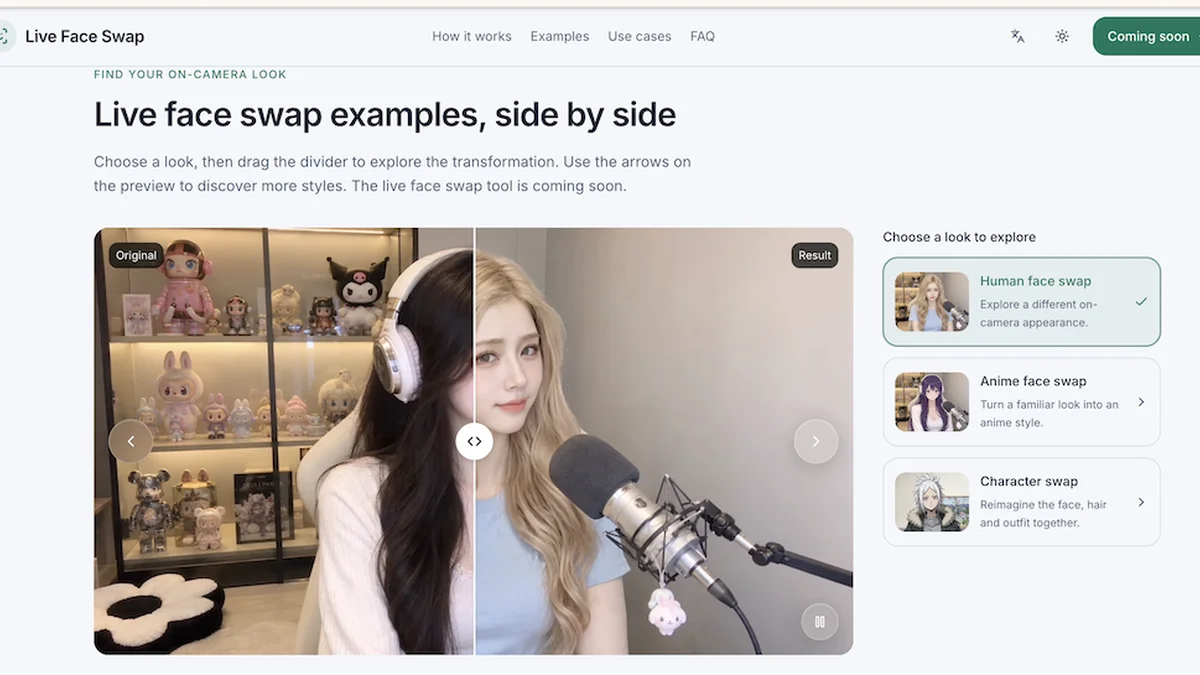
Experience real-time AI face swapping directly in your browser. Upload a reference, preview your transformed look, and record your unique performance with Live Face Swap.
Key Features
AI Engine
Utilizes advanced AI to perform real-time face swaps and apply various visual styles to your webcam feed.
Live Face Swap
Transform your live webcam feed with a reference photo, allowing you to embody different characters or looks instantly.
Real Time AI Filter
Apply creative AI filters like anime or cartoon styles to your entire camera scene, not just your face, and record the results.
Live Try-On
Virtually try on garments by choosing a reference outfit and seeing how it looks on you live through your webcam.
Record, Replay, and Download
Capture your AI-generated sessions, review them, and download the resulting video clips directly within your browser.
Free Camera Preview
Test your setup and framing with a free, real-time preview of your camera feed before starting any AI generation.
Use Cases
Creative Performances
Prepare for skits, role-playing sessions, or short performances by rehearsing character appearances and timing with a live face swap preview.
Virtual Try-On for Fashion
Experiment with different clothing items virtually by using the live try-on feature with your webcam.
Content Creation
Generate unique and engaging video content for social media or other platforms by applying real-time AI filters and face swaps.
Character Rehearsal
Practice dialogue, expressions, and head movements for on-camera roles, reviewing recorded takes for appearance consistency.
Personalized Reactions
Create custom reaction GIFs by pairing your own GIF with a portrait, offering a personalized way to express yourself.
Exploring Visual Styles
Experiment with various artistic styles, such as anime or cartoon effects, to transform your webcam's visual output.
Frequently Asked Questions
What can I do with live face swap online?
You can transform your webcam video in real-time using a built-in character or an uploaded reference photo. The generated result can be recorded, replayed, and downloaded directly on the page. Live generation requires sign-in and available credits.
Is live face swap free, and how much does a minute cost?
Camera preview, recording, replay, and downloads are free. Live generation requires credits, with rates of 1 credit/second (60/minute) for LFS Prism and 20 credits/second (1,200/minute) for LFS Mirror. Unlimited free generation is not offered.
How does real-time AI webcam face swap work?
Choose a reference and AI engine, open your camera, and check framing. Sign in with credits, review the rate and permissions, then click 'Face Swap' to start live generation. Recording begins automatically when the live result is available.
Which AI engine should I choose?
LFS Prism is the default for Face Swap and uses character replacement. LFS Mirror supports Face Swap, Restyle, and Try-On. Compare the results and credit rates for your reference and use case.
Does live face swap change only my face, or my whole appearance?
It depends on the engine. LFS Prism may change hair, clothing, or other appearance parts. LFS Mirror's Face Swap mode focuses on the face while retaining the original body and scene. Preview the result before recording.
Do I need a GPU or a live face swap app?
No app or local AI model installation is needed as the AI runs through a cloud service. You need a camera, a stable internet connection, and a browser that supports live video and encoding.