About AUTOMATER.ai
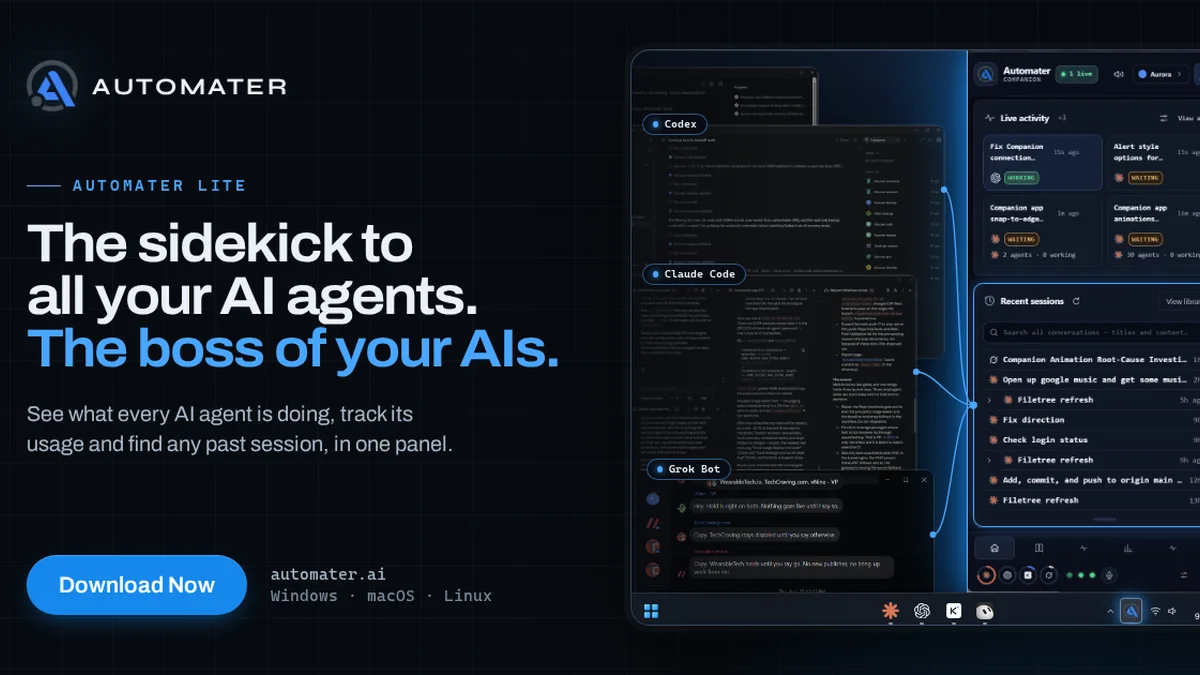
AUTOMATER.ai is a system tray application designed for developers who use multiple AI coding agents. It automatically aggregates session files from over 40 tools into a single, searchable local library. The tool also provides real-time alerts for sessions requiring user input and offers a consolidated view of usage across nine different AI providers.
Key Features
Session Library
Automatically collects and organizes session files from over 40 AI coding tools in various formats, making all your AI-generated code and conversations easily searchable by title and content.
Waiting Alerts
Provides a live activity view that clearly indicates which AI sessions are actively processing and which are awaiting your input, helping you manage your workflow efficiently.
Usage Tracking
Consolidates usage data from nine different AI providers into a single, intuitive panel, allowing you to monitor your AI resource consumption at a glance.
System Tray Integration
Runs discreetly in the system tray on Windows, macOS, and Linux, ensuring it's always available without interrupting your primary development environment.
Use Cases
Streamlined AI Development Workflow
For developers leveraging multiple AI coding assistants, AUTOMATER.ai provides a unified platform to manage all interactions, reducing context switching and improving productivity.
Efficient Session Management
Keep track of all your AI coding sessions, ensuring no important code or conversation is lost and that you can quickly find past interactions.
Cost and Usage Monitoring
Developers can easily monitor their AI usage across various providers, helping to manage costs and optimize resource allocation.
Enhanced Developer Productivity
By centralizing AI tools and providing timely alerts, developers can focus more on coding and less on managing their AI assistants.
Frequently Asked Questions
What AI tools does AUTOMATER.ai support?
AUTOMATER.ai supports over 40 AI coding tools, including popular options like Claude Code, Codex, Cursor, Antigravity, Grok, Kimi, and Muse Code, in 45 different formats.
Is there a cost to use AUTOMATER.ai?
There is a free version available that requires no account. A PRO version is offered, starting at an introductory price of $15 per year.
On which operating systems does AUTOMATER.ai run?
AUTOMATER.ai runs quietly in the system tray on Windows, macOS, and Linux operating systems.
How does the session library work?
It automatically reads session files that your AI tools already write and consolidates them into one local, searchable library, allowing you to find past interactions easily.