About Invoiceize
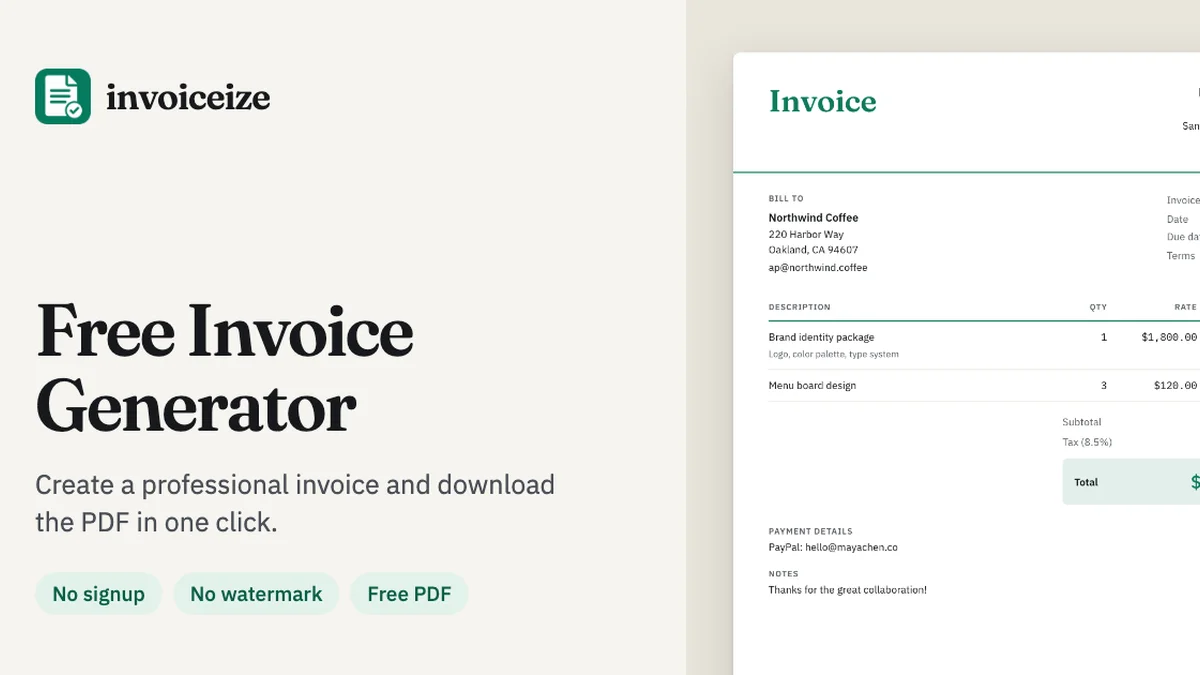
Invoiceize is a powerful, free invoice generator that lets you create, customize, and download professional PDF invoices without watermarks or signups. Streamline your billing with live previews, brand customization, and intelligent spreadsheet integration.
Key Features
Live In-Place Editing
Experience a truly intuitive billing process with our live preview interface. As you type your invoice details on the left, the document updates in real-time on the right, allowing you to click and edit any text directly on the invoice layout for perfect precision.
Seamless Spreadsheet Integration
Save time by importing your billing data directly from Excel or Google Sheets. Simply copy your line items and paste them into the description field; Invoiceize automatically parses the rows, splitting your quantities and rates into the correct columns.
Fully Customizable Branding
Maintain a professional image by tailoring your invoices to match your business identity. Upload your company logo, choose your preferred brand color, select a heading font, and switch between Classic, Modern, or Minimal layouts to create a cohesive look.
Smart Financial Calculations
Eliminate manual math errors with our automated calculation engine. The system accurately computes line totals, subtotals, taxes, discounts, and shipping costs, rounding everything to the cent based on your chosen currency code.
Flexible Data Storage
Choose how you manage your documents with our dual-storage approach. Invoices are saved automatically in your browser for instant access without an account, or you can opt for cloud sync by logging in to keep your records accessible across multiple devices.
Use Cases
Freelance Billing
Freelancers can quickly generate professional invoices after completing a project. With the ability to add custom fields like PO numbers or tax IDs, you can meet specific client requirements while maintaining a clean, branded aesthetic.
Small Business Invoicing
Small business owners can use the Brand Kit to store business details and payment information, ensuring that every new invoice sent to a client is consistent, professional, and ready for immediate payment.
Price Quoting and Estimates
Before starting a new job, use the generator to create clear, detailed quotes. Once the work is approved and completed, you can easily duplicate the quote and convert it into a final invoice for payment.
Receipt Generation
Provide your clients with official proof of payment by generating professional receipts. Invoiceize allows you to record deposits and track the balance due, ensuring both you and your client have accurate financial records.
Rapid Bulk Data Entry
If you have a long list of services or products, use the spreadsheet paste feature to populate your invoice in seconds. This is ideal for businesses that manage high-volume line items and need to avoid the tedium of manual data entry.
Frequently Asked Questions
Is Invoiceize really free to use?
Yes, Invoiceize is completely free. You can create, edit, and download an unlimited number of professional invoices, receipts, and quotes without any watermarks or hidden fees.
Do I need to create an account to generate an invoice?
No account is required to use the tool. You can fill out your invoice details and download a high-quality PDF immediately, though you have the option to create an account if you wish to sync your data to the cloud.
How is my invoice data handled?
If you do not create an account, your data is stored locally in your browser's storage. If you choose to log in, your data is saved to the cloud, but it is never sold, shared, or used to train AI models.
Can I edit an invoice after downloading it?
Absolutely. Because your recent invoices are saved in your browser or account, you can reopen any document at any time to correct details, update totals, and download a fresh PDF version.
What should I include on a professional invoice?
To ensure you get paid on time, your invoice should include a unique invoice number, issue and due dates, full business details for both parties, a clear list of line items, tax/discount information, and explicit payment instructions.