About Pavleur
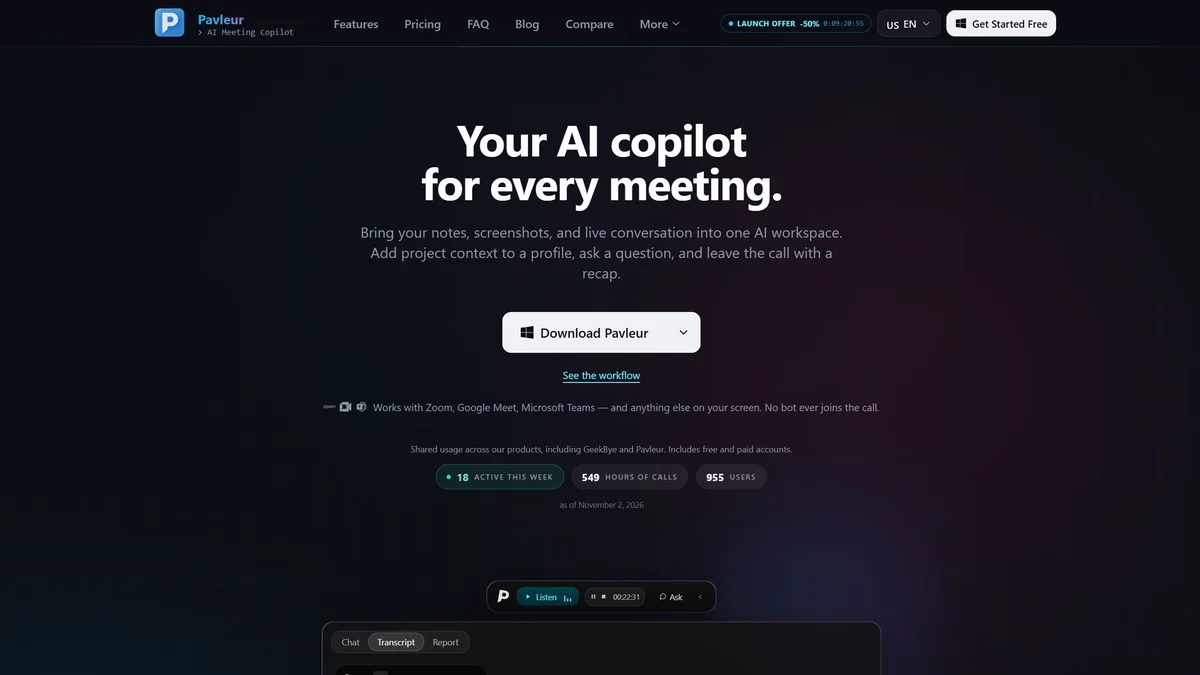
Pavleur is your privacy-first AI meeting copilot, running locally to deliver real-time transcription, intelligent recaps, and contextual insights without joining your calls.
Key Features
Local-First Privacy
Pavleur operates entirely on your computer, ensuring your meeting recordings, transcripts, and screenshots are stored locally. Your sensitive data never leaves your machine, and we guarantee it's never used to train our AI models.
Real-Time AI Assistance
Experience live transcription and AI-powered conversation support during your calls. Ask questions, get response drafts, or request summaries in real-time, leveraging the live transcript and your custom profiles.
Contextual Screenshots
Capture relevant visual information directly from your screen during meetings. Whether it's a product demo, a slide, or a critical question, you can select what to send to the AI for enhanced understanding and recaps.
Intelligent AI Recaps & Action Items
After your meeting, receive AI-generated recaps that summarize key discussions. Pavleur also identifies and extracts actionable decisions and tasks, helping you stay organized and follow through.
Customizable Meeting Profiles
Enhance your AI's understanding by attaching relevant documents like Obsidian notes, PDFs, or text files to specific meeting profiles. This provides crucial project context for more accurate assistance and recaps.
Seamless Platform Integration
Pavleur works effortlessly with your favorite meeting platforms, including Zoom, Google Meet, and Microsoft Teams. It functions as an overlay, never joining the call as a participant, ensuring a discreet and unobtrusive experience.
Use Cases
Streamline Project Handoffs
Use Pavleur to automatically generate detailed meeting summaries and action items. These recaps can be easily shared with team members, ensuring everyone is aligned on project next steps and decisions.
Enhance Sales Call Follow-ups
Capture key client needs, objections, and agreements during sales calls. Pavleur's AI recaps and transcriptions provide a perfect reference for crafting personalized follow-up emails and proposals.
Improve Remote Team Collaboration
For distributed teams, Pavleur ensures no critical information is lost. Live transcription and AI summaries make it easier for team members to catch up on missed meetings or review important discussions.
Accelerate Product Development Feedback
During product demos or user testing sessions, use Pavleur's screenshot feature to capture UI elements or user interactions. The AI can then help analyze feedback and identify areas for improvement.
Onboard New Team Members Efficiently
Provide new hires with access to comprehensive meeting transcripts and AI-generated recaps from relevant past discussions. This helps them quickly get up to speed on ongoing projects and team dynamics.
Securely Document Client Consultations
For consultants and service providers, Pavleur offers a secure way to document client meetings. Local storage and privacy-focused design ensure client confidentiality is maintained throughout the process.
Frequently Asked Questions
What makes Pavleur a privacy-focused tool?
Pavleur is designed with privacy at its core. It runs locally on your computer, meaning your meeting recordings, transcripts, and screenshots are stored on your device. We never use your data to train our AI models, and we do not sell or share your information with advertisers.
How does Pavleur integrate with my meetings?
Pavleur works as a translucent overlay on your screen, compatible with platforms like Zoom, Google Meet, and Microsoft Teams. It never joins the meeting as a participant, so there's no visible 'Pavleur bot' in your attendee list, ensuring a discreet experience.
Can I attach my own notes or documents to a meeting?
Yes, you can manually attach exported notes (like Obsidian Markdown files), PDFs, or Word documents to a Pavleur profile. This provides the AI with essential context before and during your call, leading to more relevant assistance and recaps.
What kind of AI assistance does Pavleur offer?
Pavleur provides real-time AI assistance during your calls. You can ask for explanations, request drafts of responses, or get immediate summaries based on the live transcript and your chosen profile. It also generates intelligent recaps and identifies action items after the meeting.
Does Pavleur support multiple languages?
Pavleur offers additional transcription language options depending on your plan. You can select an available language within the app, though accuracy can vary based on language, audio quality, and speaker clarity.
What are the data storage policies for Pavleur?
All profiles and transcripts are stored locally on your desktop application. While AI requests utilize online processing, your core meeting data remains under your control on your local machine. Admin video recordings can be optionally connected to your Google Drive.